> For the complete documentation index, see [llms.txt](https://docs.truvera.io/llms.txt). Markdown versions of documentation pages are available by appending `.md` to page URLs; this page is available as [Markdown](https://docs.truvera.io/truvera-workspace/monetizing-credentials/setting-up-verification-fees.md).
# Setting up monetizable credentials
This is a detailed guide on how to monetize your credentials using Truvera.
### Creating an ecosystem
Verification fees can be set by Ecosystem administrators to the participants of an ecosystem. Verifiers will only be able to access a credential if they are in the same ecosystem with the Issuer. See the step by step guide on [Ecosystem set up](/truvera-workspace/ecosystem-tools/ecosystem-set-up.md).
{% hint style="info" %}
Ecosystem administrators should only invite verifiers to an ecosystem with paid credentials if they have a billing relationship in place.
{% endhint %}
### Assigning schemas and adding verification prices
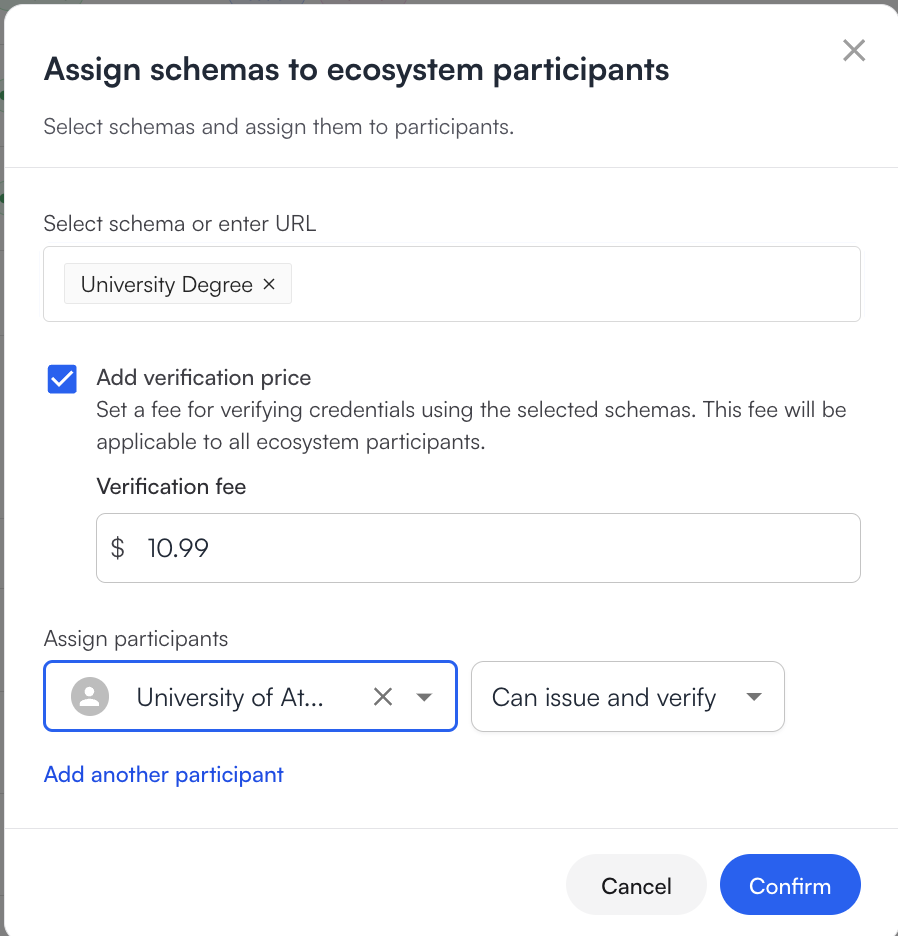
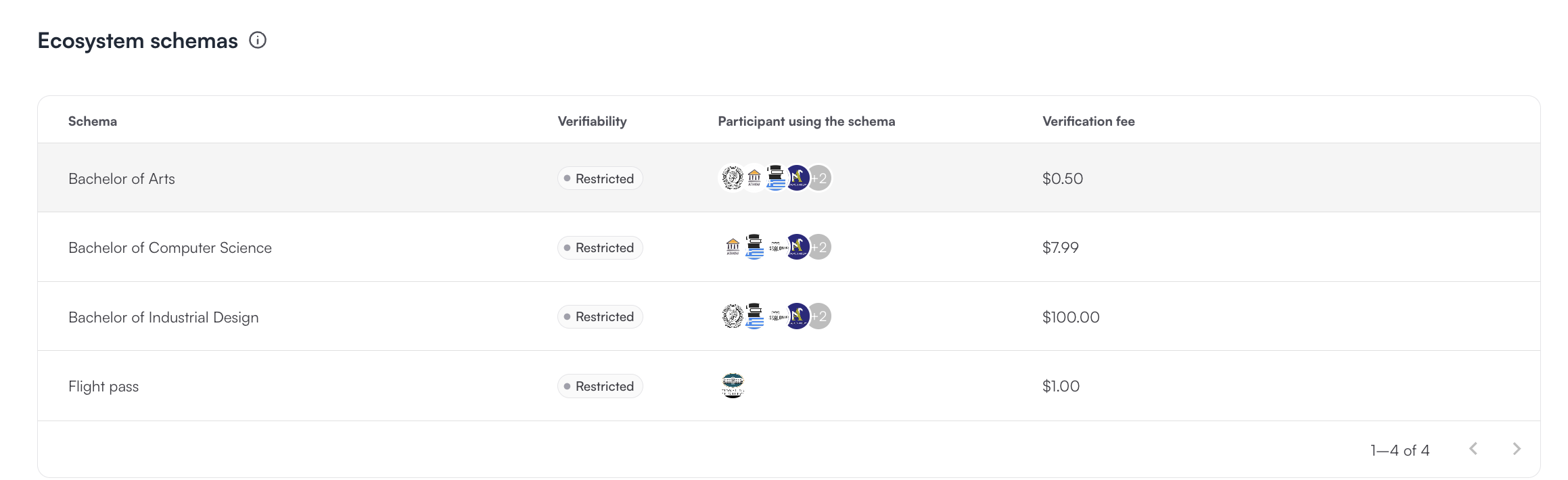
Verification prices are added to the schemas when assigning them to participants in the ecosystem.
First a schema needs to be [created](/truvera-workspace/create-a-schema.md) and then [assigned to an ecosystem](https://docs.dock.io/dock-certs/ecosystem-tools/ecosystem-set-up#assign-credential-schemas).
Verification fee will be displayed to all ecosystem participants. Verification fee is displayed in USD, but ecosystem administrators can transact with their ecosystem participants in their preferred currency.
{% hint style="warning" %}
Truvera will charge a percentage of the Verification fee as a platform commission. For each verification where that commission is too low, we will charge a minimum platform fee.
{% endhint %}
{% hint style="info" %}
The systems supports tracking fees in fractions of a cent to six decimal places.
{% endhint %}
### Issuing credentials
The process of issuing credentials will be the same. [See step by step instructions.](#issue-credentials)
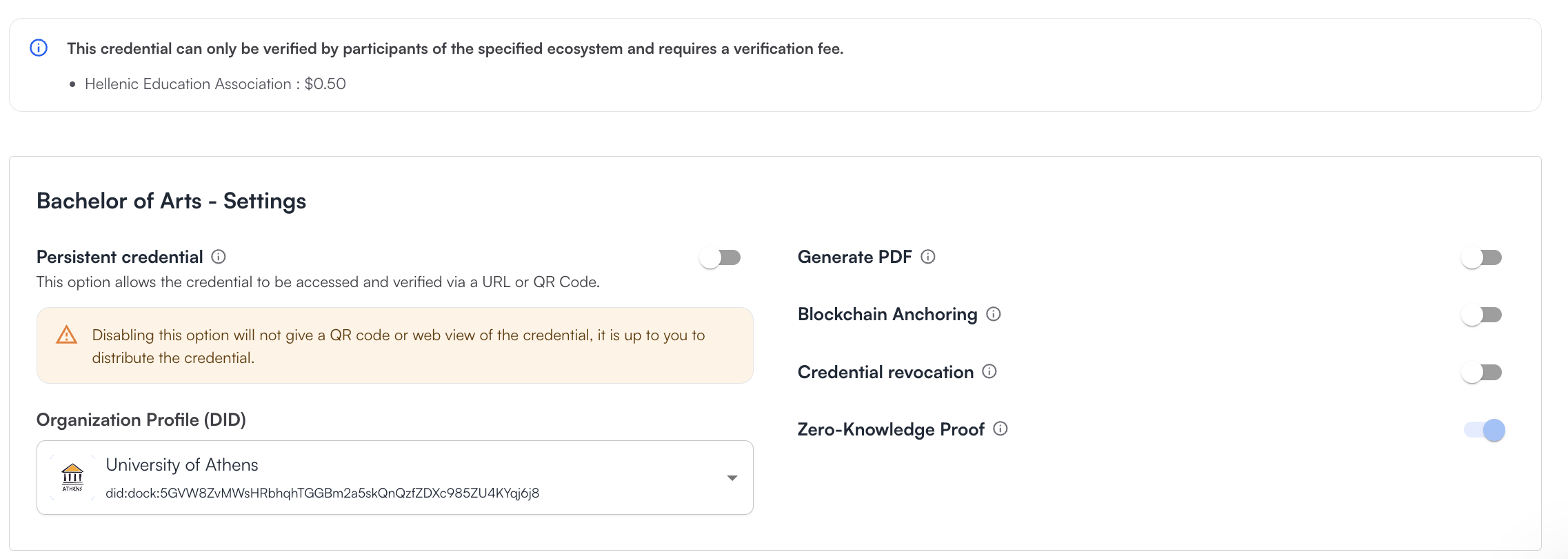
The issuer will see a message showing that the credential can only be verified by participants of the specified ecosystem and requires a verification fee.
{% hint style="warning" %}
Zero-Knowledge Proof type of credential is mandatory for paid verification and will be selected by default.
{% endhint %}
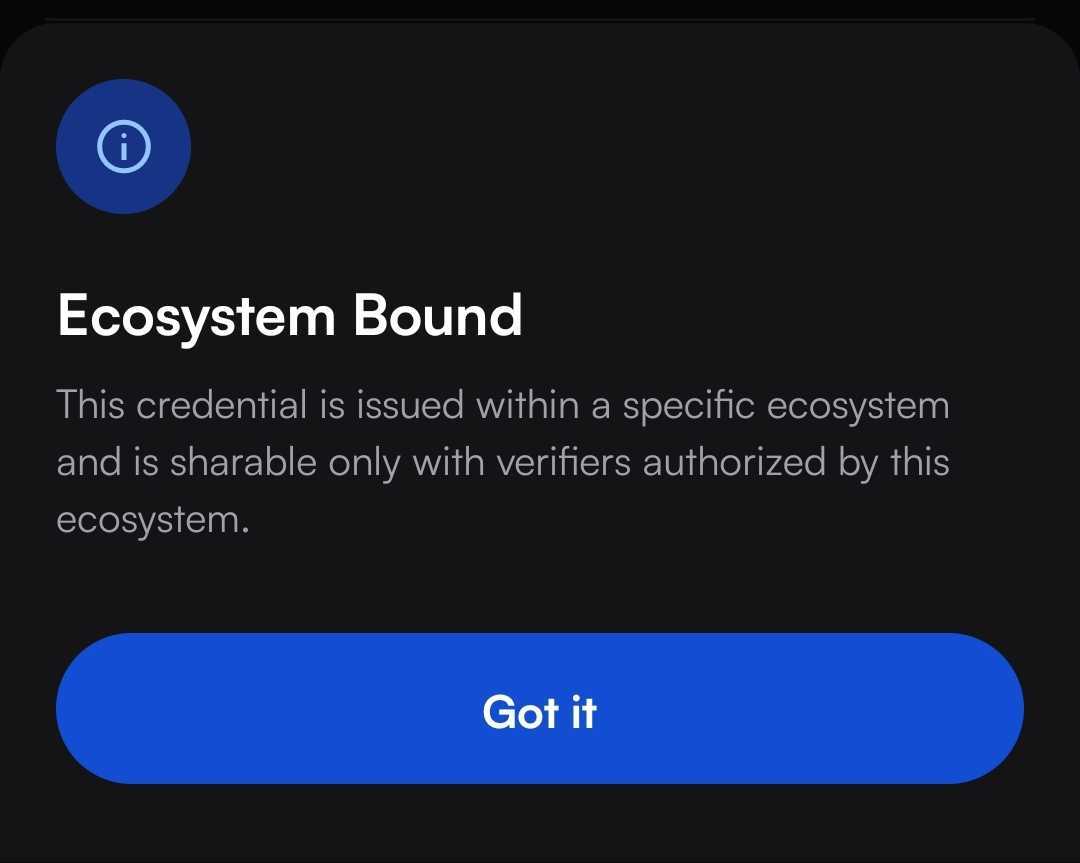
For the holders monetizable credentials will look almost the same as regular credentials, they will be able to see an Ecosystem Bound badge in the credential settings with the explanation, that this credential was issued within a specific ecosystem and is sharable only with verifiers authorized by that ecosystem.
### Creating a verification template and assigning it
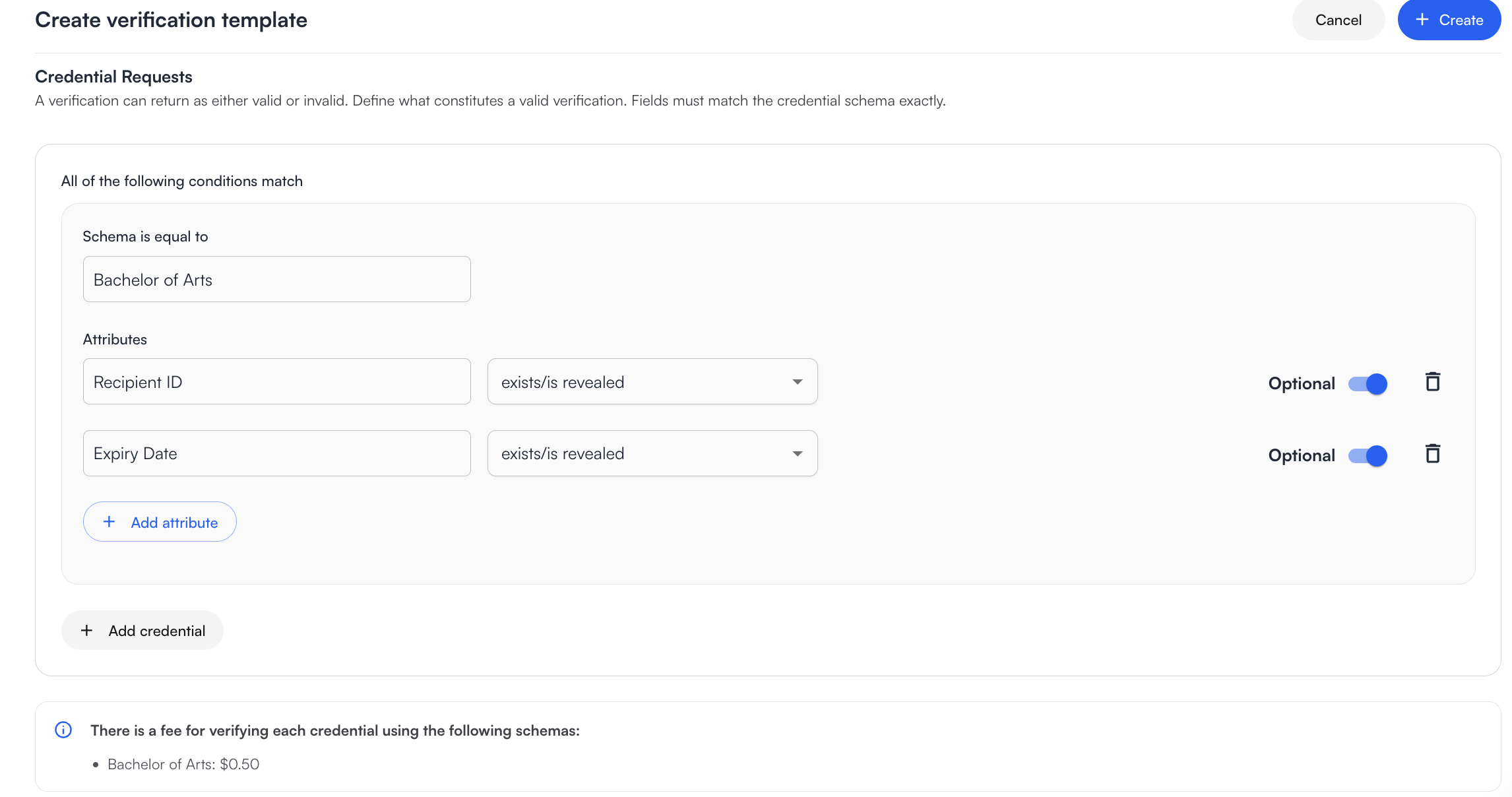
When [creating a verification template ](/truvera-workspace/verify-credentials.md)a message will be shown that there is a fee for verifying each credential using the selected schema.
[Verification templates need to be added to an ecosystem](https://docs.dock.io/dock-certs/ecosystem-tools/ecosystem-set-up#add-verification-templates) and will be visible for all participants.
{% hint style="info" %}
Wallet-to-wallet verification is not supported by monetizable credentials.
{% endhint %}
### Choosing a DID for verification
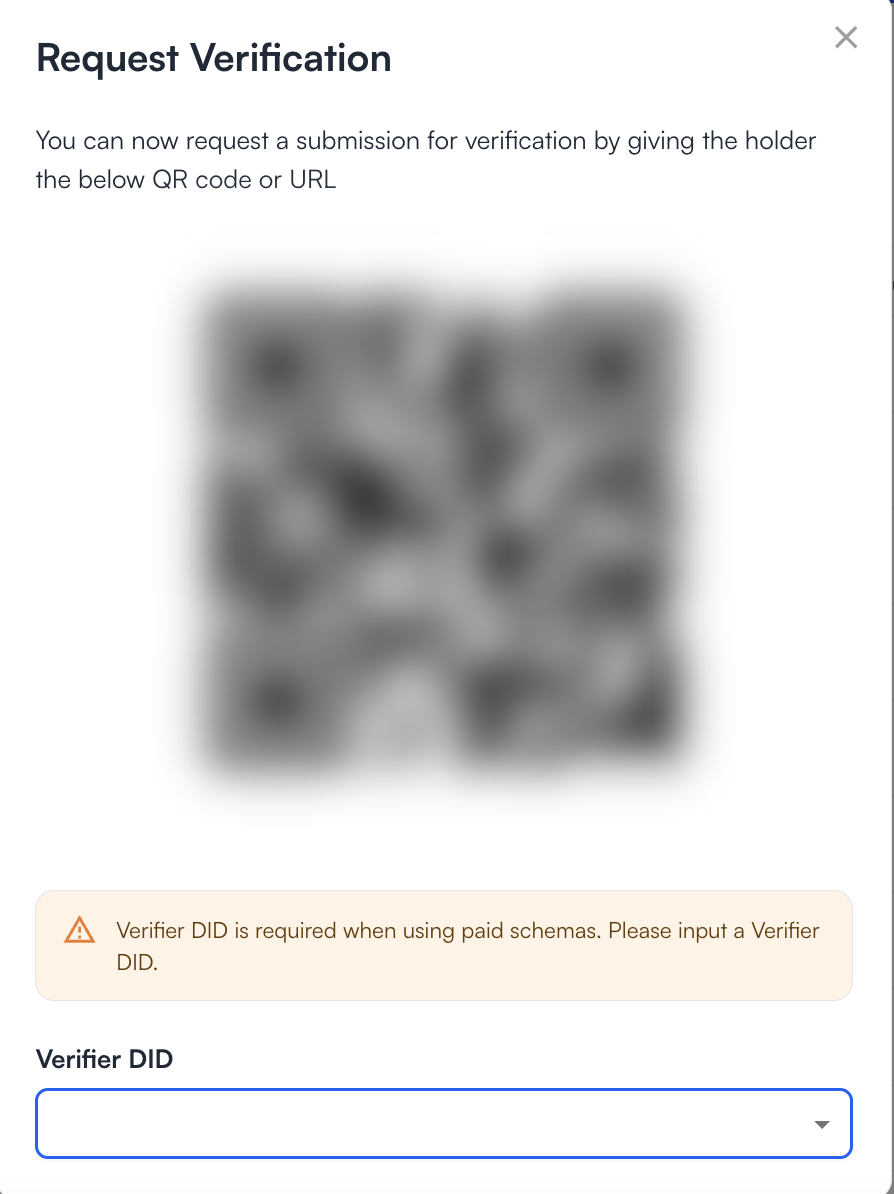
When using a monetizable credential verification template verifier will be prompted to choose the verifiers DID. It has to be the same DID that is participating in the ecosystem.
{% hint style="info" %}
When the holder has the same information in monetizable credentials from two different ecosystems, verification will default to the least expensive ecosystem.
{% endhint %}
### Getting the billing report
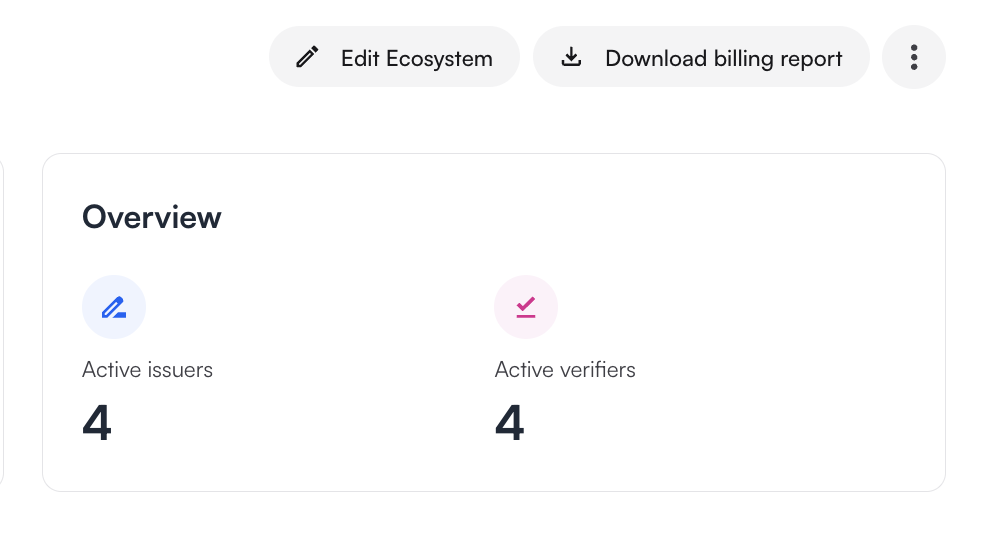
All payments are managed by the ecosystem administrator. Truvera provides a billing report that can be downloaded by the ecosystem administrator.
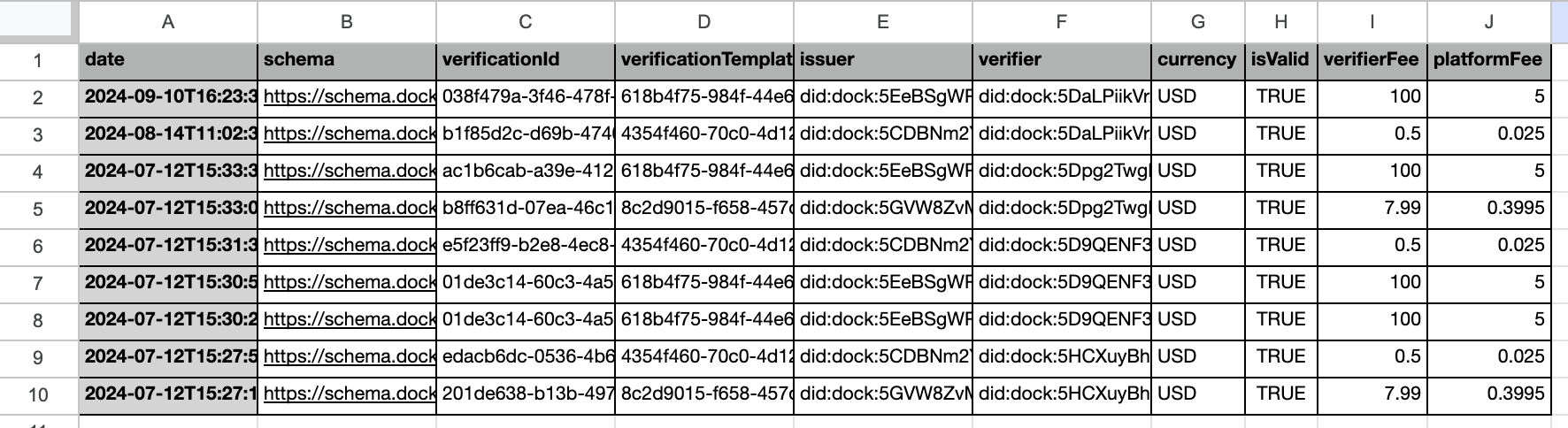
Billing report data can be selected for a specific date range and will include information about the date of verification, schema that was verified, verification ID, DIDs of Issuer and Verifier, whether the verification was successful and verification and platform fees.
Billing report includes all verifications where a credential was submitted for verification e.g if a verification request was made, but no credential was presented it will not be included, however if an invalid credential is presented and verification fails it will be included in the billing report.
{% hint style="info" %}
Ecosystem administrators take responsibility for charge-backs and disputes.
{% endhint %}
{% hint style="info" %}
Ecosystem administrators can remove ecosystem participants that do not meet ecosystem requirements.
{% endhint %}
---
# Agent Instructions
This documentation is published with GitBook. GitBook is the documentation platform designed so that both humans and AI agents can read, navigate, and reason over technical content effectively. Learn more at gitbook.com.
## Querying This Documentation
If you need additional information that is not directly available in this page, you can query the documentation dynamically by asking a question.
Perform an HTTP GET request on the current page URL with the `ask` query parameter, and the optional `goal` query parameter:
```
GET https://docs.truvera.io/truvera-workspace/monetizing-credentials/setting-up-verification-fees.md?ask=&goal=
```
`ask` is the immediate question: it should be specific, self-contained, and written in natural language.
`goal` is optional and describes the broader end goal you are ultimately trying to accomplish on behalf of the user. GitBook uses it to tailor the answer towards what is most useful for that goal.
The response will contain a direct answer to the question and relevant excerpts and sources from the documentation.
Use this mechanism when the answer is not explicitly present in the current page, you need clarification or additional context, or you want to retrieve related documentation sections.